Features / Route Planning

Fewer Miles. More Pools. Better Days.

Pool Billing Program's route planner shows every stop on a map alongside a weekly calendar. Drag stops between days, reorder them for shortest drive time, and balance workloads across your crew — all from one screen.

Calendar and Map in One View

The left panel shows your weekly schedule by technician. The right panel plots every stop on an interactive map. Click a pin to see customer details. Drag a stop to a different day or tech and the map updates instantly.

  • Visual map builder — see geographic clusters and gaps at a glance
  • Drag-and-drop scheduling — reassign stops between days and techs effortlessly
  • Route optimizer — automatically arrange stops for minimum drive time
  • Workload balancing — see stop counts per day and per technician
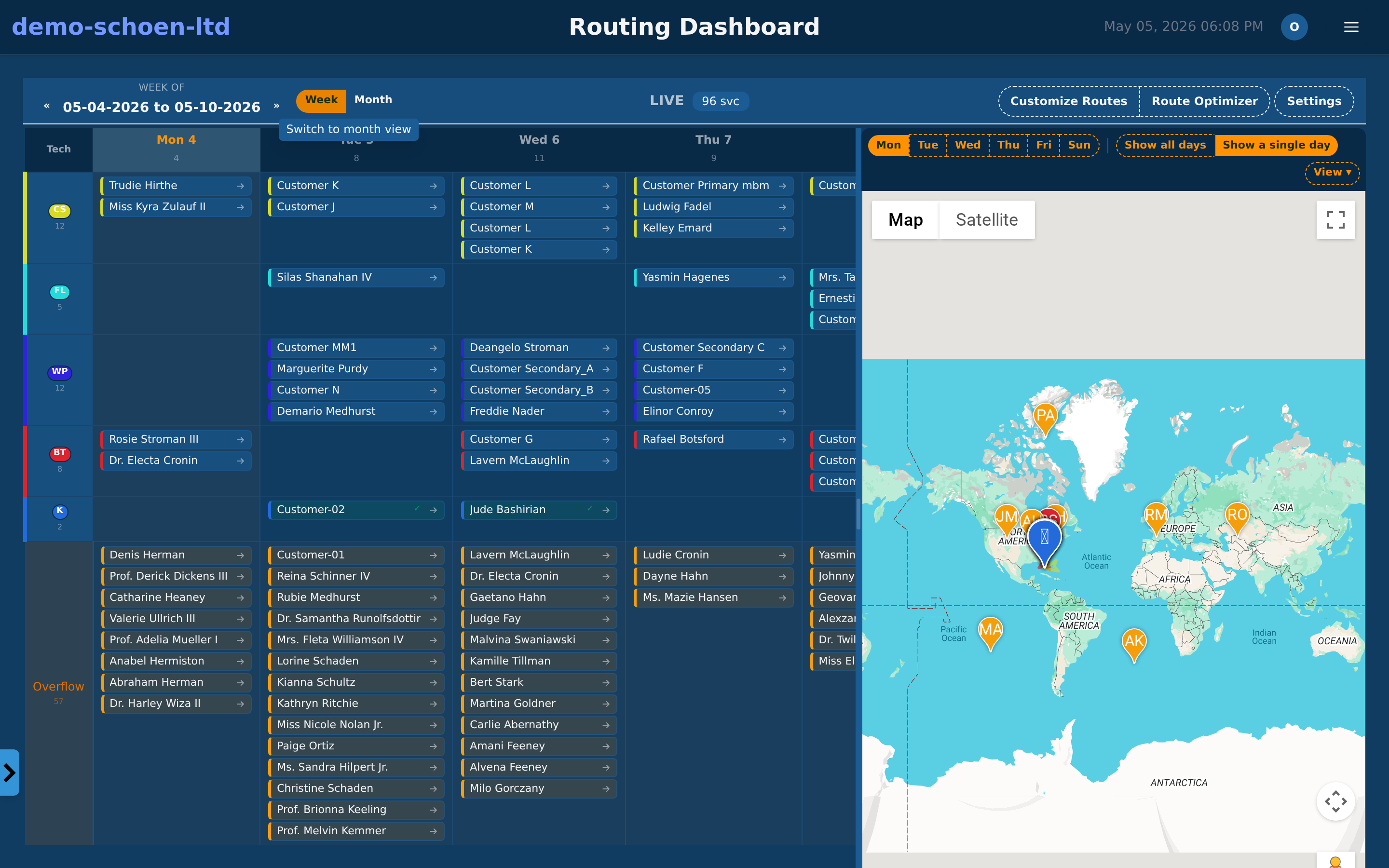
Pool Billing Program route planning screen with weekly calendar and interactive map

Why Route Planning Matters

Disorganized routes waste fuel, tire out your team, and leave customers waiting. Optimized routes do the opposite.

Lower Fuel Costs

Shorter drive paths between stops translate directly to fuel savings over the month.

More Stops Per Day

Less windshield time means more time at pools — your team finishes the day earlier or fits in additional stops.

📈

Happier Customers

Consistent service days and narrower arrival windows build trust and reduce cancellation calls.

Routing on Desktop and Mobile

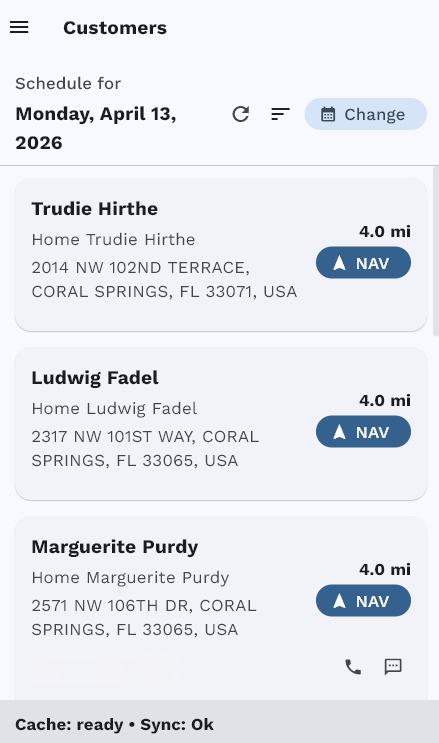
Plan routes on the desktop. Techs follow them on the mobile app with turn-by-turn navigation.

Pool Billing Program desktop scheduling view with technician assignments

Desktop Scheduling View

Pool Billing Program mobile daily route for a technician

Mobile Daily Route

Mobile App Chemical Logs

Tighter Routes, Bigger Profits

Pool route optimization is included in every Pool Billing Program plan — no add-on fees.

Start Your Free Trial